Vouch: making sure the numbers in your paper are actually the numbers your code produced
If you’ve ever written a research paper, you know this feeling: it’s 2am before the
deadline, you just re-ran an experiment because you tweaked a hyperparameter, and now
you’re hunting through six terminal tabs trying to remember which number goes in Table 2.
You paste 93.2% into the LaTeX source. It’s probably right. You move on.
Six months later a reviewer asks you to double check that number, and you have no idea which run produced it, what seed it used, or whether the code that generated it is even the code that’s in the repo anymore.
This is the problem vouch is built to kill.
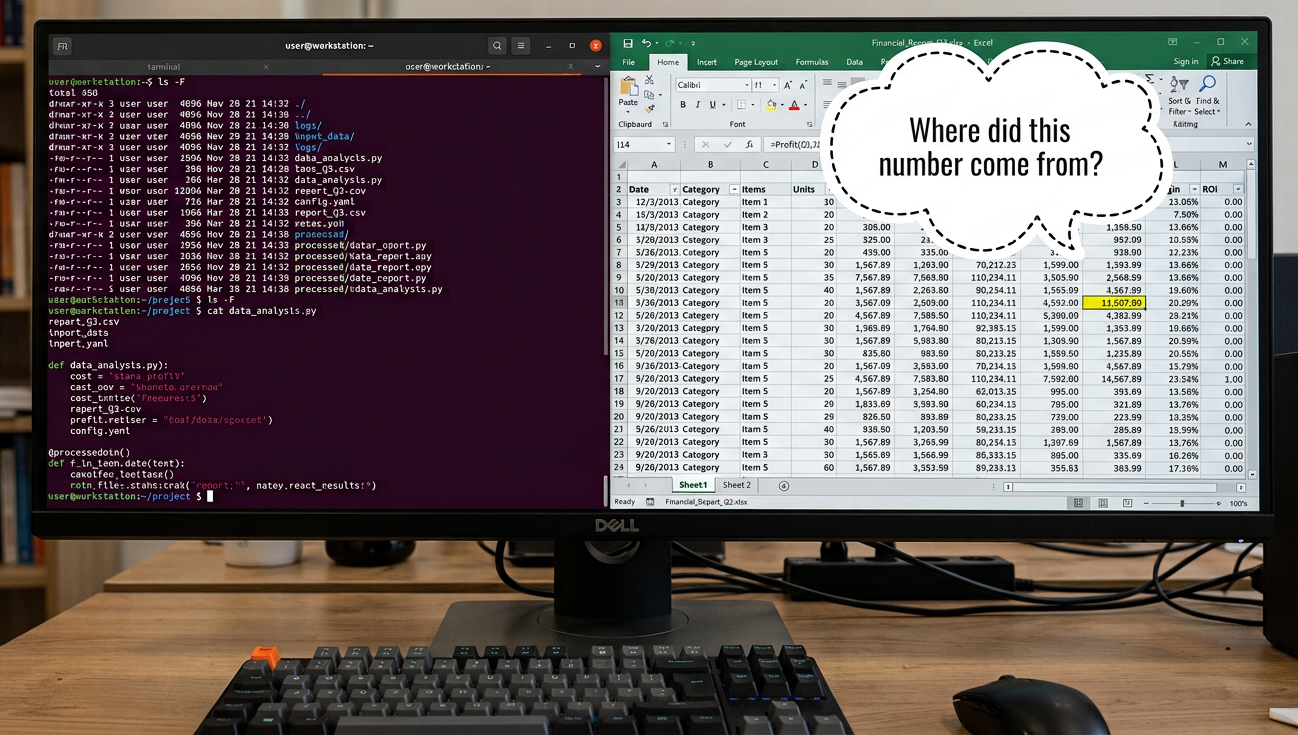
The actual problem
Papers are full of numbers, and almost none of them are checked by anything. The pipeline usually looks like:
- Run an experiment.
- Read a number off stdout, a CSV, or a plot.
- Type that number into the paper by hand.
- Re-run the experiment later (different seed, different GPU, a “quick fix” to the eval code) and forget to update the paper.
Every one of those steps is a place where a typo, a stale run, or a silent code change can sneak a wrong number into print. And it’s not a hypothetical problem — “number in the paper doesn’t match the code” is one of the most common things that comes up in reproducibility audits.
How people currently deal with this
Just being careful. The default approach. Doesn’t scale past your second draft, and definitely doesn’t survive a coauthor rerunning your code on their machine.
Experiment trackers (Weights & Biases, MLflow, Sacred, Aim, etc.) These are great at logging metrics over the course of training and letting you compare runs in a dashboard. What they don’t do is close the loop with the paper itself — there’s still a manual step where a human reads a number off a dashboard and retypes it into LaTeX. The dashboard doesn’t know your paper exists, so it can’t tell you a cited number went stale.
Data/pipeline versioning (DVC, Git LFS) Solves a different problem — versioning large files and making pipelines reproducible end-to-end. Doesn’t touch the paper-writing side at all; you still need something to connect “this run” to “this sentence.”
Just re-running everything before submission Works, until it doesn’t — a “quick check” the night before a deadline isn’t going to catch that Table 3 was generated from a run that predates a bug fix in your eval script three weeks ago.
None of these tools actually look at your .tex file and ask “does every number in
here still trace back to a real, unchanged run?” That’s the gap vouch fills.
What vouch actually does
Vouch treats every number in your paper as a citation, the same way you’d cite a
reference. Instead of typing 93.2%, you write \vouch{evaluate.cifar.resnet.acc},
and vouch guarantees that key resolves to a real, traceable value — or your build
fails.
1. Record results as they happen
You decorate the function that produces your results:
import vouch

@vouch.track(over="seed")
def evaluate(dataset: str, model: str, seed: int = 0) -> dict:
    ...
    return {"acc": acc, "loss": loss}
Every call gets recorded — arguments, seeds, timing, and the exact code that ran —
keyed automatically as evaluate.cifar.resnet.acc, evaluate.cifar.resnet.loss, and
so on. Runs that only differ by seed get collapsed into mean ± std automatically.
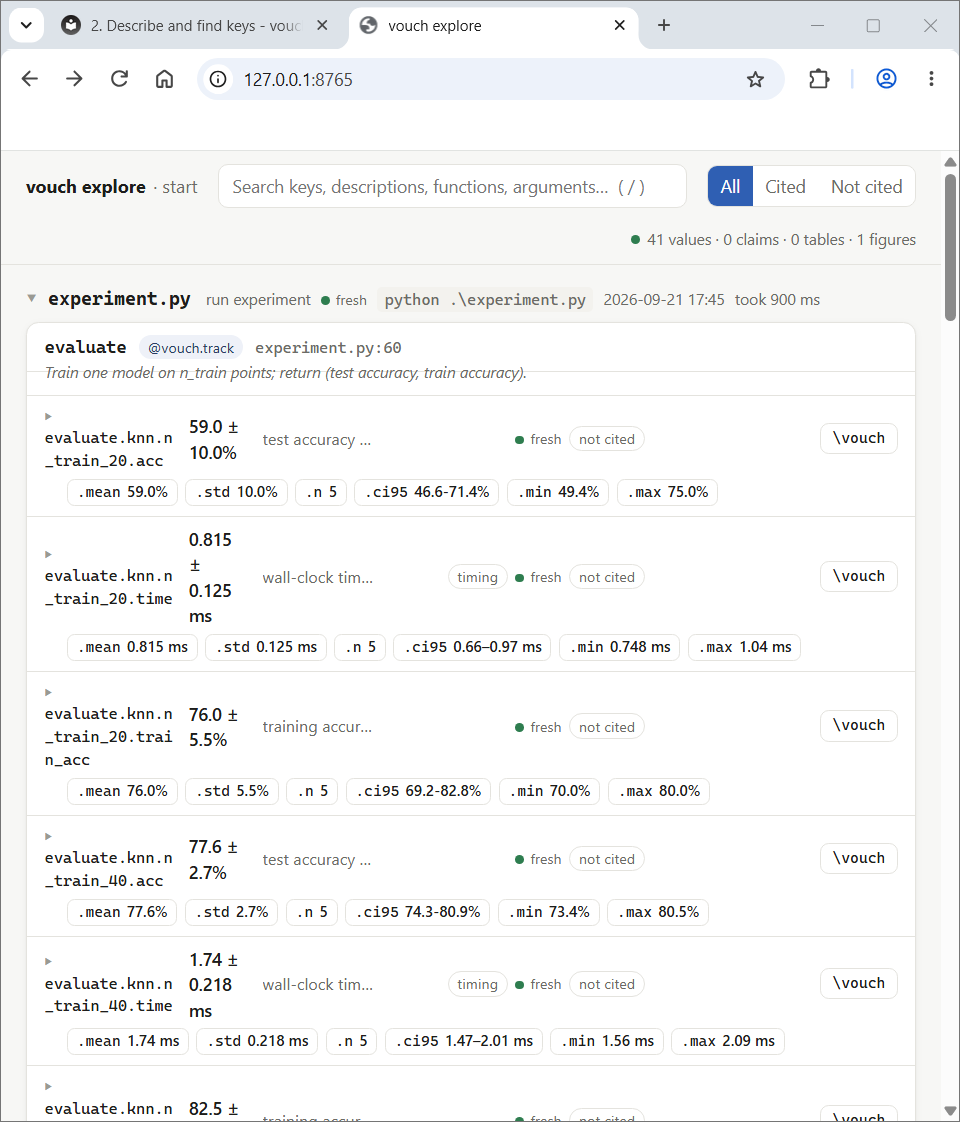
2. Find the key without guessing
$ vouch search vit accuracy cifar
$ vouch cite evaluate.cifar.vit.acc
\vouch{evaluate.cifar.vit.acc}  →  90.6 ± 0.4%
There’s also a local browsable page (vouch explore --open) that walks script →
function → keys and lets you click to copy the citation. If you’re working with an
LLM agent instead of clicking around, .vouch/CATALOG.md lists every citable key —
it’s the file an agent reads first before it invents a number.
3. Cite it, right in the LaTeX
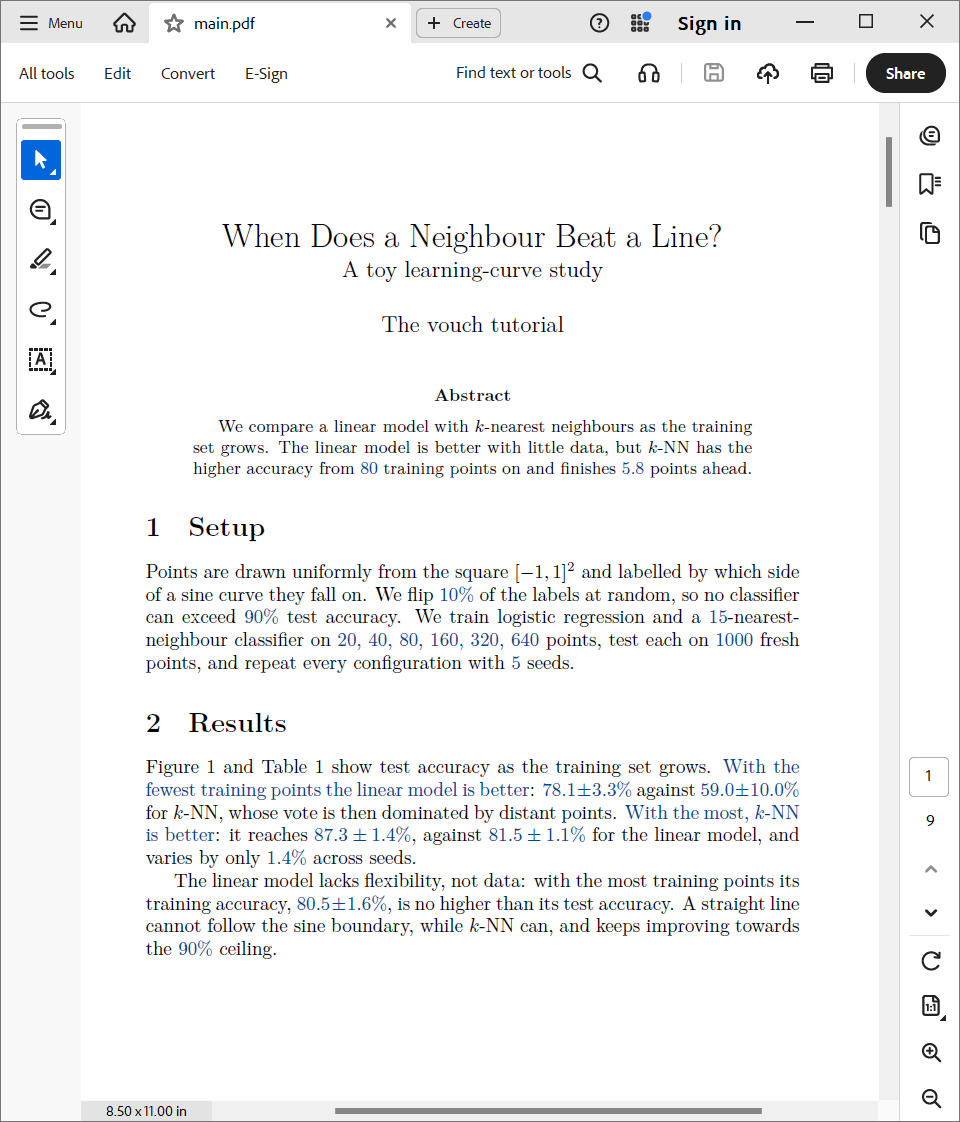
ResNet reaches \vouch{evaluate.cifar.resnet.acc} top-1 accuracy.
\vouchtable{main}
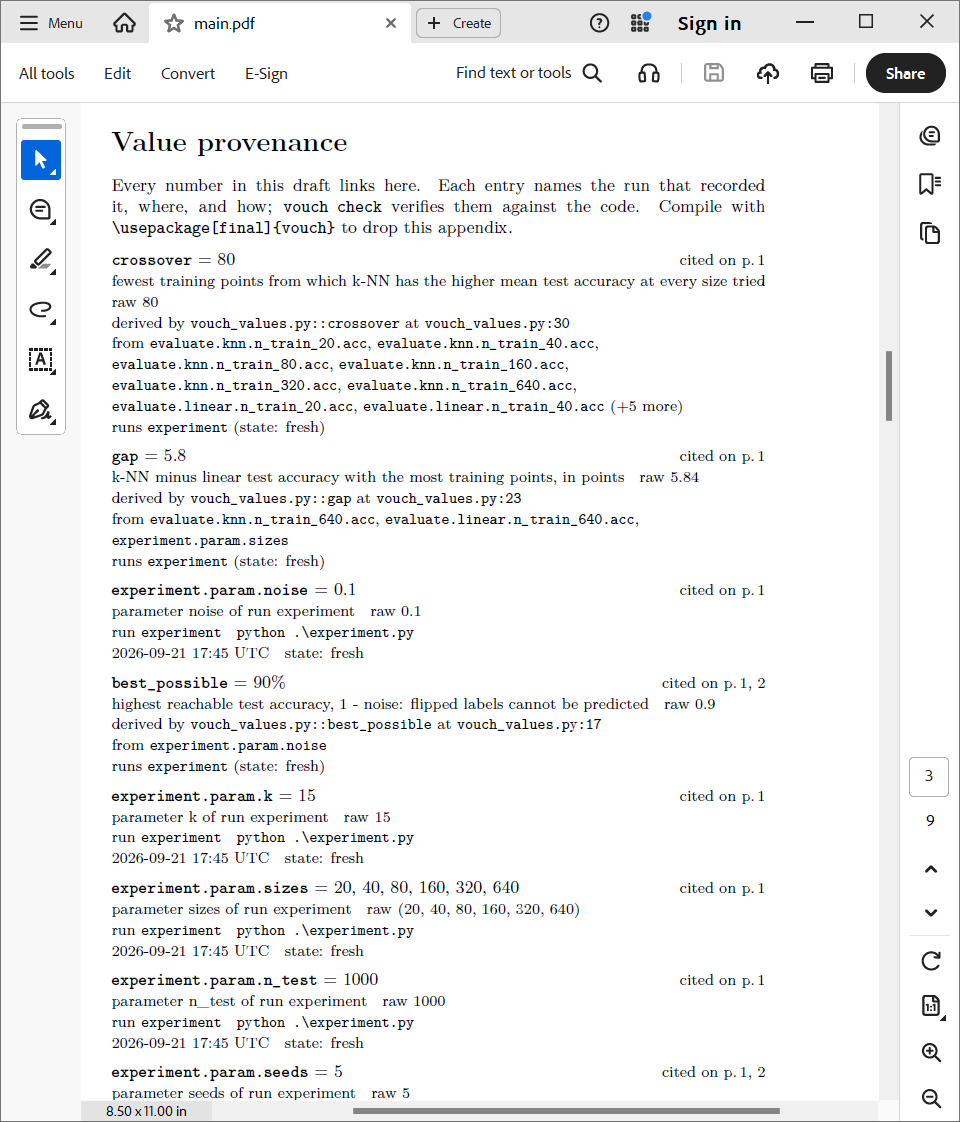
vouch build fills in the real values, and every number in the compiled PDF becomes
a link to a “Value provenance” appendix — which call produced it, every seed’s
result, the run, the command, the commit. Submitting the camera-ready version?
\usepackage[final]{vouch} strips all of that out.
4. Numbers built from other numbers
Differences, ratios, “who wins” claims — instead of doing that math in your head
(or a scratch notebook that gets deleted), it lives in vouch_values.py:
@vouch.derive("cifar.gap", fmt=".1f", unit="points")
def gap(v):
    return 100 * (v["evaluate.cifar.resnet.acc.mean"] - v["evaluate.cifar.vit.acc.mean"])

@vouch.claim("cifar.big_gap", desc="ResNet leads by more than a point")
def big_gap(v):
    return vouch.gt(v["cifar.gap"], 1)
vouch compare A B will even write the difference/ratio/significance-test code for
you.
5. The gate: vouch check
This is the part that actually saves you. Before you submit — or on every commit,
via a pre-commit hook or CI — vouch check fails the build if:
- a cited key doesn’t exist
- the code behind a cited run has changed since the run happened
- a claim no longer holds
- a figure is stale
- there’s a number typed by hand instead of cited
! bare-number    93.2% is typed by hand; it is evaluate.cifar.resnet.acc.mean
! no-source      97.1% matches no recorded value: record it or remove it
That second warning is the one that catches the “wait, where did this number even come from” panic before a reviewer does.
The agent angle
Vouch was also built with the assumption that a lot of paper-writing now involves an
LLM in the loop, and LLMs will absolutely make up a plausible-looking number if you
let them. vouch init --agents --yes sets up a skill, a rules block, and a hook so
that if an agent (like Claude Code) types a number into your paper instead of citing
one, it gets bounced back in the same turn with the fix. There’s also an MCP server
(vouch mcp) so any MCP-capable agent can search, cite, and check values directly.
Try it
$ pip install vouch-paper
$ vouch init
It’s on PyPI, no dependencies required for the base install. There’s a full walkthrough — a two-second toy experiment taken all the way to a compiled PDF — in the tutorial, and the complete command reference and design doc are on the documentation site.
If you’ve ever had to explain to a reviewer why the number in your rebuttal doesn’t match the number in your paper, this one’s for you.